Tools & Trends
Aug 10, 2026
How to Create a Payment Link Without a Website
You don't need a domain, a storefront, or a developer to start collecting payments. Here's exactly how to do it.
Most creators stall at the same point. They have something to sell, a digital template, a coaching call, a small batch of prints, but no website. So they assume they need one before they can charge anyone money. That assumption costs weeks, sometimes months, of momentum.
It isn't true. A payment link does the job a website does for one specific purpose: collecting money. No hosting, no domain renewal, no "coming soon" page sitting untouched for a year. Just a link you can drop into a bio, a DM, or a WhatsApp broadcast.
This piece walks through how payment links actually work, when to use one instead of building a full storefront, and how to set one up on Endow in a few minutes.
What a Payment Link Actually Is
A payment link is a standalone checkout page generated for one product, service, or cause, tied to a URL you can share anywhere. The customer clicks it, sees what they're paying for, enters their card or transfer details, and completes the payment on that page. No account creation required on their end, no navigating a site to find a "buy" button.
Think of it as a storefront compressed into a single transaction.
On Endow, a payment link carries three pieces of information you set when you create it:
Payment name — what the customer sees as the headline
Description — the short context that answers "what am I paying for"
Amount — either a fixed price or a flexible one, depending on the link type
That's the entire structure. No product catalog, no cart logic, no shipping fields unless you add them yourself in the description.
Why You Don't Need a Website for This
A website earns its keep when you have a catalog, when people need to browse before they buy, or when you're building a brand people return to. None of that is required for a single sale, a service booking, or a one-off collection.
Building a site first is usually procrastination wearing a productivity costume. It feels like progress because it's visible work, but it delays the only thing that actually matters: getting paid.
The creators who move fastest treat the website as optional infrastructure to build later, once there's revenue and repeat demand to justify it. Until then, a link does the job.
The Two Payment Link Types on Endow
Endow splits payment links into two types, and picking the right one matters more than it sounds.
Standard Payment Link
Use this when you're selling something with a set price. A template, a consultation slot, a batch of merchandise, a service package. You set the amount once, share the link, and every customer pays the same price.
This is the link type for straightforward commerce. No negotiation, no guesswork on the buyer's end.
Support or Tip Link
Use this when you want fans or supporters to choose their own amount. Endow lets you set a minimum price, so the payment can't come in below what makes sense for you, but the customer decides how much above that they want to give.
This is the right tool for tip jars, "buy me a coffee" style support, or open-ended appreciation payments where forcing a fixed price would undersell what people are actually willing to give.
Choosing wrong here costs you money either way. A fixed price on a tip link caps generous supporters at the minimum. A flexible amount on a product sale invites underpayment for something that has a real, fixed cost to you.
How to Create One on Endow, Step by Step
Log into your Endow account. If you haven't signed up, registration takes a few minutes and only asks for basic details.
Choose your link type. Decide upfront whether this is a standard sale or a support/tip link. This determines the fields you'll fill next.
Name the payment. Keep it specific. "Notion Template Bundle" converts better than "Digital Product," because the customer knows exactly what they're paying for before they click.
Write the description. This is your only sales copy, so use it. One or two sentences on what they get, when they get it, and anything they need to know (delivery method, turnaround time, what's included).
Set the amount. Fixed price for standard links. Minimum price for support/tip links.
Generate the link. Endow creates the checkout page and gives you a shareable URL.
Share it everywhere it makes sense. Instagram bio, WhatsApp status, a pinned tweet, a comment reply, an email signature. The link works the same regardless of where someone clicks it from.
That's the entire process. No code, no plugin, no waiting on approval.
Where to Actually Put Your Link
A link that sits unused doesn't sell anything. A few placements do most of the work:
Bio links on Instagram, TikTok, and X, especially if you're using a link-in-bio tool, add it as a standalone option, not buried under five others.
Direct messages, when someone asks "how do I pay you," send the link instead of explaining a process.
Community posts, if you run a WhatsApp group, Telegram channel, or Discord server, pin it.
Email signatures, useful if you take freelance or consulting work on the side.
QR codes, generate one from the link for physical settings, a market stall, a workshop, a pop-up.
The link doesn't need a permanent home. It needs to show up wherever the buying decision happens.
When You'll Eventually Want a Website Anyway
None of this is an argument against ever building a website. Once you have more than a handful of products, or you're running promotions that need a proper catalog view, a storefront starts paying for itself.
The point is sequencing. Validate that people will pay before investing in the infrastructure to make paying prettier. Most creators who build the website first spend money and time on something the payment link would have tested for free.
Frequently Asked Questions
Do I need a business registration to create a payment link? No. Endow's payment links are available to individual creators, freelancers, and businesses alike.
Can I use the same link for multiple sales? Yes, a standard payment link stays active and can be used by as many customers as click it, unless you deactivate it.
Is there a limit on how many links I can create? No practical limit. Many creators run several links at once, one per product or service.
Do customers need an Endow account to pay? No. Customers complete payment on the checkout page directly. Only creators need an Endow account to generate links.
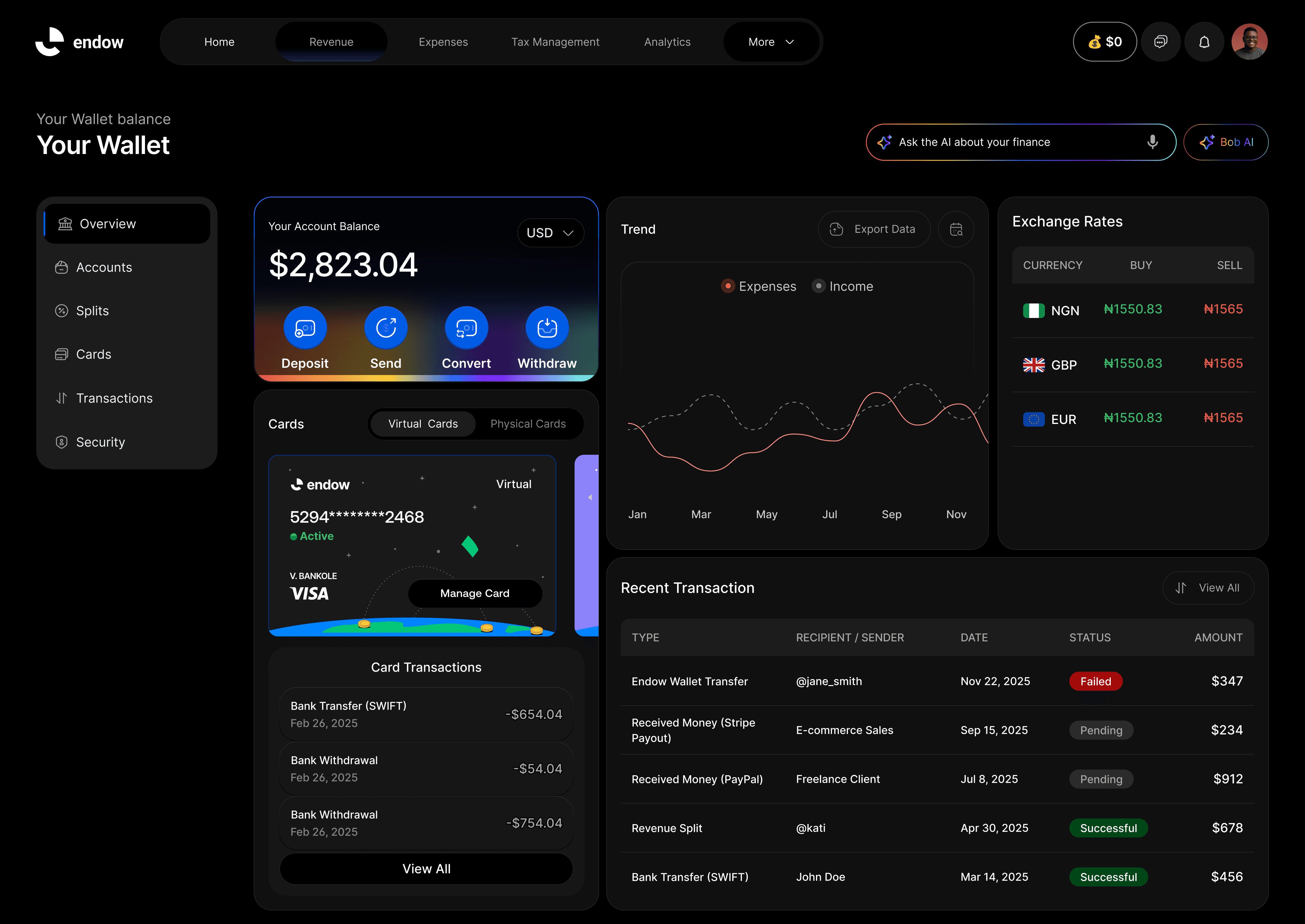
Can I track who has paid? Yes, every payment through your link shows up in your Endow dashboard with the customer and amount attached.
Get Your Link Live Today
You don't need a launch plan, a landing page, or a developer on retainer. You need a name for what you're selling, a price, and five minutes.
Create your first payment link on Endow and start collecting payments the same day, no website required.
Related Content