Money Made Simple
How to Track Your Creator Income with Endow
Your money is probably in five places right now. Here is a simple system for seeing all of it, and what Endow does at each step.

Ask a creator what they earned last month and you will usually get a pause, then a guess.
“Around ₦400,000? Plus that brand thing. And the tips. I think someone paid cash.”
The guess is not a character flaw. It is what happens when income arrives through a payout dashboard, two bank apps, a payment link, a direct transfer with a vague narration, and a WhatsApp message that says “sent.” Nothing is wrong with any single source. The trouble is that no single place shows them together.
Tracking fixes that, and it is smaller than it sounds. You are not doing accounting. You are answering four questions, quickly and honestly:
What came in?
From where?
What is still owed to me?
What is left after costs and tax?
This guide shows how to answer all four using Endow, in the order that makes each step easier.
One honest note before we start. Endow’s bank connection, powered by Mono, is coming soon, and the multi-account features of Endow AI build on it. We mark below which steps work through the money you collect on Endow and which ones grow once your banks are connected. Check your own account for what is live today.
Step 1: Let Your Income Record Itself
The easiest income to track is income that passes through one system on its way to you.
On Endow, that means collecting money through the tools built for it:
Standard payment links for products and services
Support or tip links, where a fan chooses how much to pay above your minimum
Invoices for client work
Courses and bundles sold from your store
Every payment you collect this way leaves a record, which is more reliable than your memory and far less work than reconstructing a month from bank narrations.
If you currently ask clients to “just send to my account,” try this for one month. Send a link or an invoice instead. You will be surprised how much cleaner your numbers get.

Step 2: Name Everything So You Can Sort It Later
Payment links and invoices both carry a name and a description. Most creators write something vague like “payment” or “support.” That is a missed chance.
A good name is a label you can sort by. Pick a short, consistent pattern:
Product | Notion budget template
Tip | Weekly newsletter support
Service | Logo design, October
Brand | Campaign name, client name
Use the description for the detail you will want in three months: what it was for, which project, which client.
Now, when you look at your income at the end of the month, the source is written on every line. You are no longer guessing whether ₦50,000 was a tip or a small job.
Step 3: Match the Tool to the Type of Income
Different income behaves differently, and the tool you choose tells you which kind it is.
Income type | Tool | Why it helps tracking |
|---|---|---|
One-off sale at a fixed price | Standard payment link | Clean, single line per sale |
Fan support, any amount | Support or tip link | Keeps small gifts separate from sales |
Client service work | Invoice | Carries a deadline and a payment status |
Teaching or training | Course | Sales sit in one product, not scattered |
Two products, or two creators | Bundle | One purchase, clearly bundled |
This separation also feeds your forecast. When you plan next year, you can see which money is recurring, which is repeatable and which was a one-off.
Step 4: Track What You Are Owed
Income you have earned but not received is the part most creators lose track of. It is also the part that quietly wrecks a month.
Endow invoices include the customer’s details, a description, quantity and price, and a payment deadline, and you can track whether each one has been paid. That deadline is useful in a way people underrate. It turns “they said they’d pay soon” into a date you can act on.
Build one habit around it. Once a week, look at your unpaid invoices and ask:
Which are overdue?
Which fall due in the next seven days?
Who needs a polite reminder today?
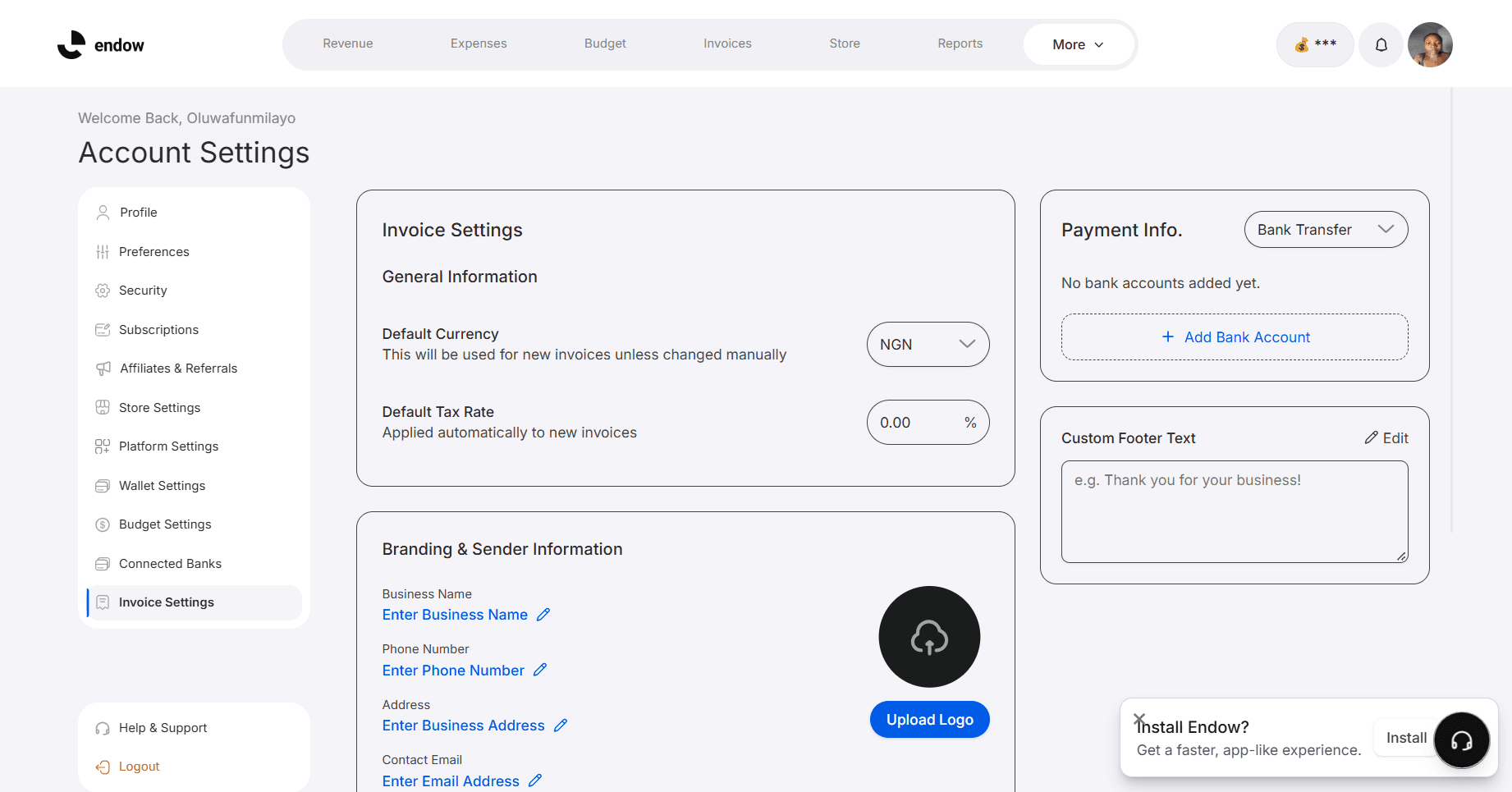
One more choice to make deliberately. When you create an invoice, you can have the money paid into your Endow wallet or into an external bank account you specify. Both are valid, but try to pick one destination per client and stay with it. Money that splits across several places is the main reason people lose track of it later.
Step 5: Bring Your Bank Accounts In
Here is where tracking becomes close to automatic.
Endow integrates with banking infrastructure through Mono, so you can securely connect your bank accounts. Once that is live for your account, Endow can retrieve balances, monitor transactions and provide financial insights. Endow AI builds on those connections to help you:
View balances from multiple banks in one place. No more opening three apps to learn what you have.
Track earnings across multiple financial sources. This is the income tracking capability, and it is the one that answers “what came in, and from where?” across everything.
Categorize transactions automatically and analyze your spending habits, so costs do not hide inside your income.
Get reminders for bills and subscriptions, which helps because forgotten renewals quietly shrink what you keep.
Ask in plain language. Endow AI is built so you can ask it to check balances or analyze spending.
When your accounts are connected, try questions in the spirit of these:
“How much did I earn this month?”
“What did I spend on subscriptions?”
“What is my balance across all my accounts?”
Treat those as the kind of questions to ask rather than a guaranteed script, and check what your account can answer today.
Endow AI also includes predictive insights on future spending patterns and fraud detection that monitors activity for suspicious transactions, which help once your data is flowing in.
Step 6: A Fifteen Minute Weekly Routine
Tools only help if you look at them. Put this in your calendar for the same time every week.
Every week (about fifteen minutes):
Check your wallet and recent payments. Did everything you expected arrive?
Look at unpaid and overdue invoices. Send reminders.
Glance at tips and support links. Note anything unusual.
If your accounts are connected, scan the new transactions for anything miscategorized.
Move your tax share into a separate pot the same day money lands.
Every month (about thirty minutes):
Add up income by source: products, tips, services, courses, brand work.
Subtract your costs.
Compare the total against your plan and note the gap.
Write one sentence about what changed. Did a source grow, shrink or disappear?
Those four lines of month-end notes will teach you more about your business than a year of vague impressions.
Step 7: Keep Your Records Tax Ready
Tracking is also your protection at tax time. Under the Nigeria Tax Act, which took effect in January 2026, creators and online sellers fall within existing tax categories, and every taxable person is expected to register and obtain a tax identification number.
You do not need to become an accountant. You do need to be able to show:
What you earned and from whom
The dates payments arrived
What you spent to earn it
If your income is already labeled by source and sorted by date, that is most of the work. Have a qualified tax professional review your actual position, since your deductions and circumstances will differ from anyone else’s.
Common Mistakes
Waiting for the end of the year. Reconstructing twelve months is miserable and inaccurate.
Splitting one client across several payment routes. Pick one.
Calling everything “payment.” Name your links and invoices.
Mixing income and spending in one head count. Know your costs separately.
Tracking only what arrived. Track what is owed too.
Frequently Asked Questions
Do I need to connect my bank to start tracking?
No. Money you collect through payment links, invoices, courses and bundles on Endow can be tracked from the platform itself. Bank connection through Mono is coming soon and extends tracking to the rest of your accounts.
Can I see income from other places, like YouTube or TikTok?
Endow’s wallet and dashboard are designed to bring income from sources like these alongside your Endow sales. Check which sources your account supports today.
Is Endow a replacement for an accountant?
No. It gives you clean records and a clear picture of your money. A qualified professional should still check your tax position.
What should I track if I only earn a little?
Everything. Small income grows into large income, and the habit is far easier to start while the numbers are small.
Start With One Month
You do not need to rebuild your finances. Choose one month. Send links and invoices instead of account numbers, name each one clearly, and check your numbers every week.
By the end of it you will be able to answer, without guessing, what came in, from where, what is still owed and what is left.
Start tracking your income on Endow and give your money one place to be seen.
Related Content